
In a Windows Autopilot deployment, the hardware hash is a unique identifier that is used to associate a Windows 10 device with an organization. The hardware hash is used to register the device with the Windows Autopilot deployment service, and is used to determine which Autopilot profile to apply to the device. The hardware hash is generated by the device manufacturer, and is unique to each device.
While we expect the purchasing vendor to provide the Windows Autopilot hardware hashes or onboard the devices directly into our tenant, that is not always the case. While the process has improved over the years, there are situation where vendors may not be able to generate the hardware hashes on a timely manner, or not at all. That is why Windows Autopilot device registration can be done within your organization by manually collecting the hardware hashes and uploading this information.
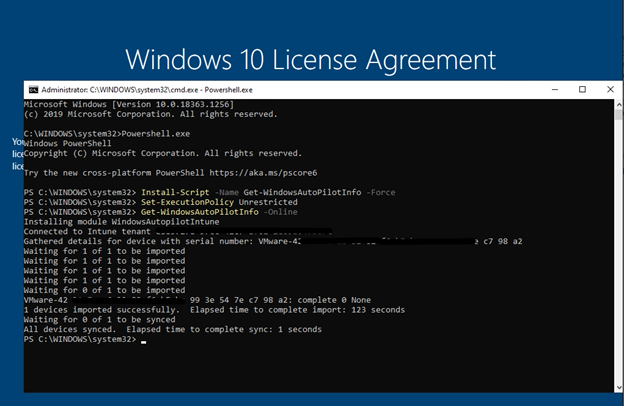
During the OOBE (Out of the Box Experience) you also can initiate the hardware hash upload by launching a command prompt (Shift+F10 at the sign in prompt), and using the following commands.
Prerequisite: Your device needs to be connected either a wired or wireless network with internet access.
1
2
3
4
Powershell.exe
Install-Script -name Get-WindowsAutopilotInfo -Force
Set-ExecutionPolicy Unrestricted
Get-WindowsAutoPilotInfo -Online
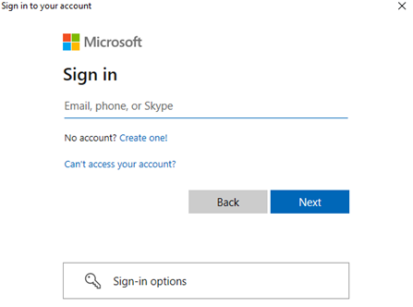
At this point you will be prompted to sign in, an account with the Intune Administrator role is sufficient, and the device hash will then be uploaded automatically. If MFA is enabled, you will be required to use it. (Always make sure to have MFA enabled in all your accounts)
Upon confirmation of the uploaded device hash details, run a sync in the Microsoft Endpoint Manager Admin Center and wait for your new device to appear.
Once the device is shown in your device list, and an autopilot profile is assigned, restarting the device will result in OOBE running through Windows Autopilot provisioning process.
That’s it! You’ve successfully uploaded the hardware hash to Intune in Windows Autopilot.